You do not need to translate your website, maintain multiple knowledge bases or set anything up for your assistant to answer in another language. A visitor writes in French, your assistant replies in French. That is it.
This guide covers how that works, what you do control, and what to watch out for.
How it works
Your assistant replies in the language the visitor writes in. Your knowledge can be entirely in English and a visitor asking in Spanish still gets a Spanish answer, drawn from the same entries.
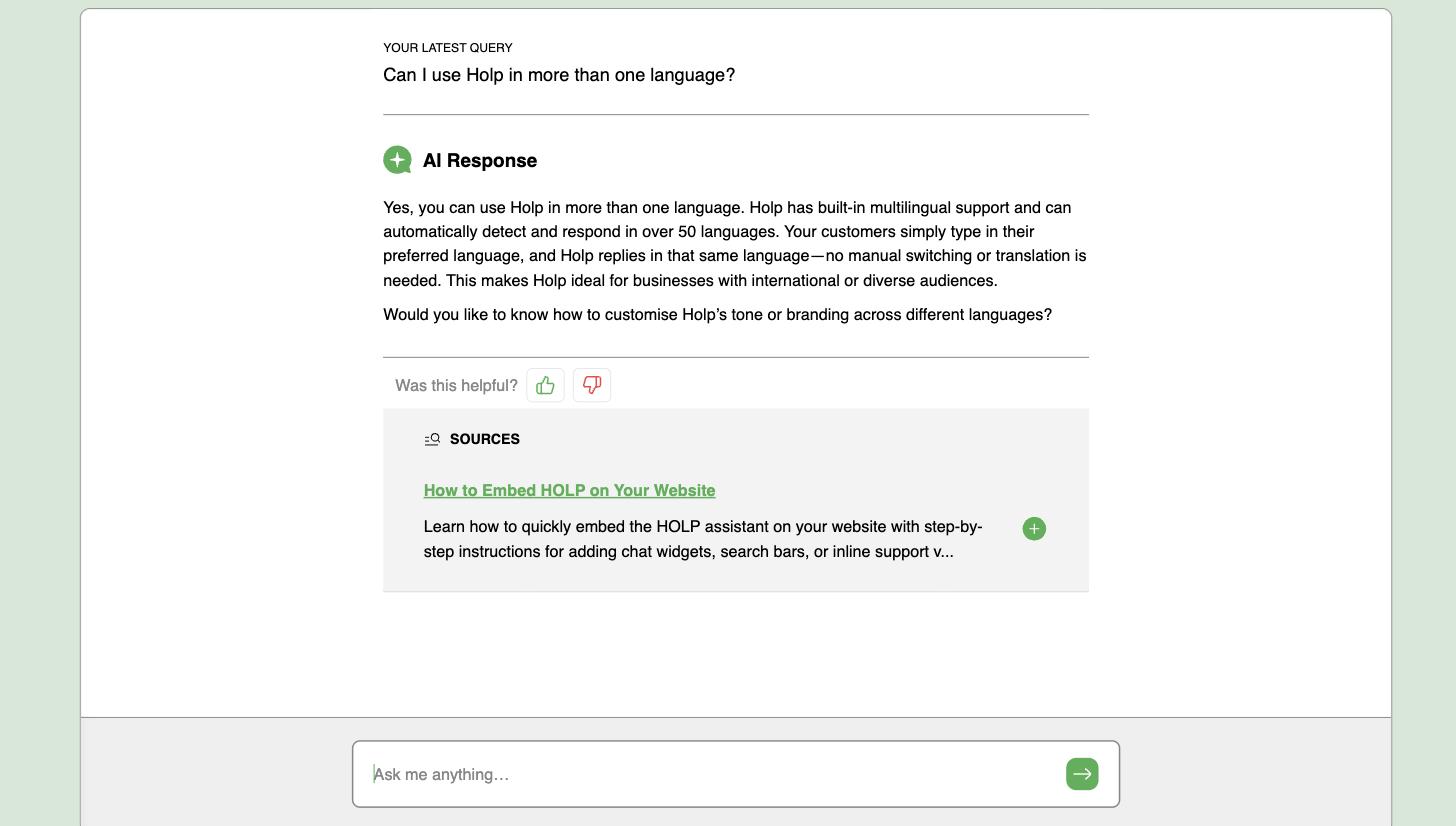
That is the important bit: you maintain one set of knowledge, in whatever language you are comfortable writing, and it serves everybody.
What you do control: interface language
Go to Customise & Preview and open the Identity tab. Interface language sets the language of the buttons, labels and default wording around the conversation. The options are English (UK), English (US), French, German, Spanish, Italian, Dutch and Portuguese.
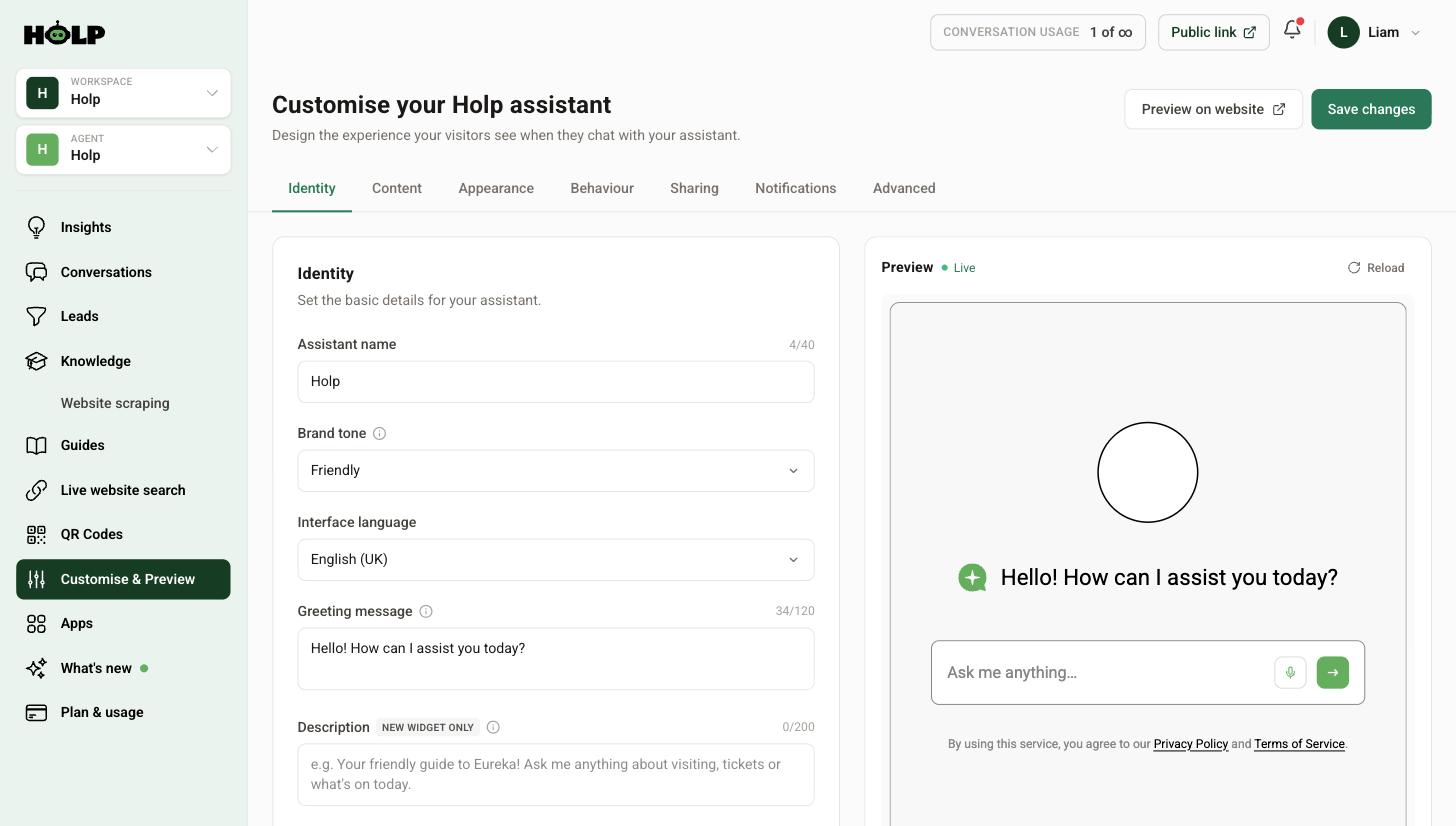
This is separate from what language answers come back in. Set it to whatever most of your visitors read, and let replies look after themselves.
Your greeting is fixed — think about that
Your greeting message and welcome bubble are text you have written, so they appear as you wrote them. If a meaningful share of your visitors do not read English, that first line is the one thing that will not meet them halfway.
Two practical options:
- Keep it simple. A short, plain greeting is easier for a non-native reader than a clever one. Avoid idioms and wordplay.
- Write it bilingually if you have two dominant languages and the character limit allows — the greeting field gives you 120 characters, so a short phrase in each can fit.
The same applies to suggested prompts. They are your words, so they stay in your language. Consider adding one prompt in a second language if you have a significant audience for it — it signals to that visitor that they are welcome to write in their own language.
Knowledge in more than one language
You generally do not need to duplicate your knowledge. Write it once, clearly, and let the assistant handle the translation of the answer.
The exception is anything where exact wording matters legally or reputationally — safety information, formal terms, regulated statements. If a phrase must appear precisely as approved in a given language, write a knowledge entry containing that exact approved text.
Keywords in other languages
One genuinely useful trick: add keywords in the other languages your visitors use. If a good number of your visitors are Welsh-speaking, French or Polish, adding their words for your key topics helps the assistant match the question to the right entry.
What to test
Do not assume. Spend ten minutes testing properly:
- Ask a common question in each language your visitors actually use
- Check the answer is correct, not just fluent — fluency is easy, accuracy is what matters
- Check any names, addresses and product names have not been mangled by translation
- Ask a follow-up in the same language to check it stays there
- Switch language mid-conversation and see that it keeps up
If you have a colleague or customer who speaks the language, ask them to read a few answers. Machine translation can be grammatically perfect and still land oddly.
Things worth knowing
- Place names and product names should usually not be translated. If they are being translated in answers, add a note to your additional instructions telling the assistant to leave them as they are.
- Formality varies by language. Your chosen brand tone lands differently in German than in Spanish. Worth a native speaker’s eye if a language matters commercially to you.
- Your knowledge is the ceiling. Translating an answer you do not have does not help — if the information is missing, it is missing in every language.
If answers are coming back in the wrong language
- Check what the visitor actually typed. Short messages give the assistant little to work from — a single word may not be enough to identify the language.
- Check whether your additional instructions contain anything that pins the language.
- Remember that interface language does not control replies. Changing it will not fix a reply-language problem.
A worked example: a Welsh visitor attraction
An attraction in north Wales has a knowledge base written entirely in English. Around one visitor in eight writes in Welsh.
They change nothing about their knowledge. Welsh questions get Welsh answers from the same English entries.
What they do change is smaller and more deliberate. They add Welsh keywords to their most-used entries — the words for opening times, tickets, parking and dogs — so a Welsh question matches the right entry rather than falling through to a gap. They add one suggested prompt in Welsh, which signals to a Welsh speaker that they are welcome to carry on in Welsh. And they ask a Welsh-speaking colleague to read a dozen answers, who flags that place names were occasionally being translated into English — fixed with one line in additional instructions.
Total effort: an afternoon. No second knowledge base, no translation agency.
Where machine translation needs a human eye
Fluency is not the same as appropriateness. Three things are worth checking with someone who speaks the language:
- Formality. Languages with formal and informal address — French, German, Spanish, Dutch — force a choice your English source never made. Getting it wrong reads as rude or as oddly stiff.
- Names. Place names, product names, building names and job titles are frequently translated when they should not be.
- Terms of art. Anything with a specific legal or regulatory meaning in your sector may have a different specific meaning translated literally.
You do not need a full review. A dozen answers read by one native speaker will surface almost everything.
When you do want a second set of entries
Duplicating knowledge is usually unnecessary, but there are three cases where it is the right call:
- Legally approved wording. If a statement has been signed off in a particular language, write it in that language exactly.
- Safety information. Where ambiguity has consequences, control the words.
- A commercially critical market. If a language accounts for a large share of your revenue, it may be worth writing your top ten entries in it directly.
Otherwise, one clear English entry serves everyone better than two half-maintained ones.
A short checklist
- Set interface language to what most of your visitors read
- Keep your greeting simple, or bilingual if you have two main audiences
- Add keywords in the other languages your visitors use
- Add one suggested prompt in a second language if it is a significant audience
- Test a common question in each language, then a follow-up in the same language
- Have a dozen answers read by a native speaker
- Add an instruction to leave names untranslated if you see them being translated
Frequently asked questions
Do I need to translate my knowledge base?
No. Write it once in your own language. Your assistant replies in the language the visitor writes in, using the same knowledge.
How many languages does it support?
Your assistant responds in the language the visitor uses, across a wide range of languages. The interface language selector covers English (UK and US), French, German, Spanish, Italian, Dutch and Portuguese.
What does the interface language setting change?
The buttons, labels and default wording around the conversation. It does not control what language answers come back in.
Will my greeting be translated?
No. Your greeting, welcome bubble and suggested prompts are your own text and appear as written. Keep them simple, or write them bilingually if you have two main audiences.
Can I add keywords in another language?
Yes, and it helps. Adding the words your non-English-speaking visitors use makes the assistant more likely to match their question to the right entry.
How do I stop product names being translated?
Add a rule in the Advanced tab’s additional instructions telling the assistant to leave product and place names as they are.
Should I get answers checked by a native speaker?
If a language matters commercially to you, yes. Machine translation can be fluent and still land at the wrong level of formality.
Where to go next
- How to set your assistant’s name, tone and greeting
- How to add knowledge to your Holp assistant
- How to improve your assistant’s answers
More from Holp
- What does a chatbot cost? — every pricing model, and the costs nobody lists
- Best AI agents for customer service in 2026 — how the options compare, honestly
- All resources — tools, comparisons and platform guides in one place